
How to launch a market campaign in days, not weeks
Every market needs a shop window, and most distributors build a new one each time. With ONE your campaign is a setting, a collection or a microsite on the platform you already run.
In this guide
- Open the catalogue for the week
- Curate a collection for the market
- Launch a branded microsite
- Send it to the right buyers
Before and after
The usual way, and the ONE way
Flip the switch to see what changes.
A new microsite build
Weeks before the market, for a few days of use.
Flip it open
Let the catalogue be browsed logged out, with Register and Login in the header.
Another PDF
That is out of date by day two.
A custom catalogue
Group titles into a collection and, if you like, add it to your main navigation.
A separate site
With separate logins and upkeep.
A microsite
Its own branding, layout and URL, with the option to hide your main header and footer.
Left as it was
Until someone remembers to take it down.
Back to normal
Restrict titles again in a few clicks and review what buyers did in Reporting.
How it works
Four moves
Open the catalogue for the week
Keep titles active and unrestricted and allow the catalogue to be browsed while logged out. Synopses stay public while individual videos can still be locked.
Curate a collection for the market
Custom catalogues group titles into their own collections, each with its own banner, and can appear in your main navigation.
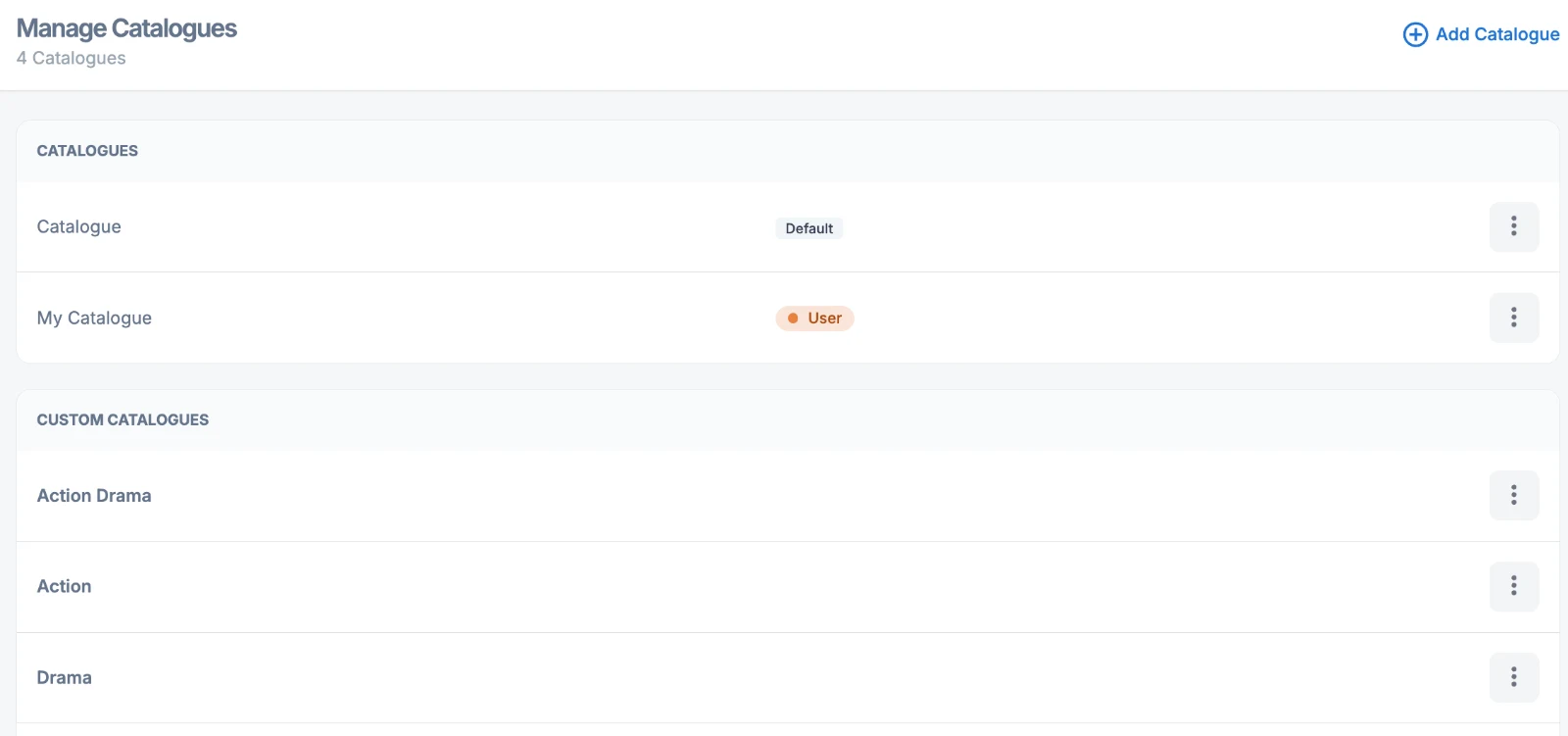
Custom catalogues: separate collections managed alongside your main catalogue.
Launch a branded microsite
Microsites run on a dedicated URL with their own templates, styles and content, perfect for a launch, a themed slate or a partner.
Send it to the right buyers
Use Anonymous Access or List Share to send your market selection, and follow up based on who engaged.
Questions we get asked
Before you ask
Can some videos stay locked while the catalogue is open?
Yes. The catalogue and synopses can be public while chosen videos stay restricted.
Do microsites need a developer?
No. They are built and managed in the same platform. Talk to your account manager about templates.
Is this only for markets?
No. The same tools work for a launch, a festival or a partner showcase at any time of year.