
How to sell into new territories in the buyer’s language
A buyer browsing in their own language stays longer and trusts you sooner. ONE can run your site in more than one language, translated automatically and reviewed by your own team, and lets you rename the platform’s own labels to match how you talk.
In this guide
- Translate the whole site
- Keep a human in the loop
- Use your own words everywhere
- Give a territory its own front door
Before and after
The usual way, and the ONE way
Flip the switch to see what changes.
A translated microsite
Weeks of work and another site to maintain.
Add a language
The site is translated automatically into the languages you choose.
Trust the machine
And hope nothing embarrassing slips through.
Your team signs it off
Your team gets translator access to review and edit the wording.
Live with the software’s
Season when you say Series, List when you say Selection.
Rename anything
Localisation lets you change the platform’s labels to match your terminology.
Another separate build
With its own logins and upkeep.
A microsite
A microsite on its own URL, managed from the same platform.
How it works
Four moves
Translate the whole site
Website Translations is a language-based add-on that translates your site automatically into the languages you choose.
Keep a human in the loop
Your team gets translator access to review and refine the wording, so the tone stays yours in every language.
Use your own words everywhere
Localisation lets you rename the platform’s labels, such as Season to Series, and undo any change in one click.
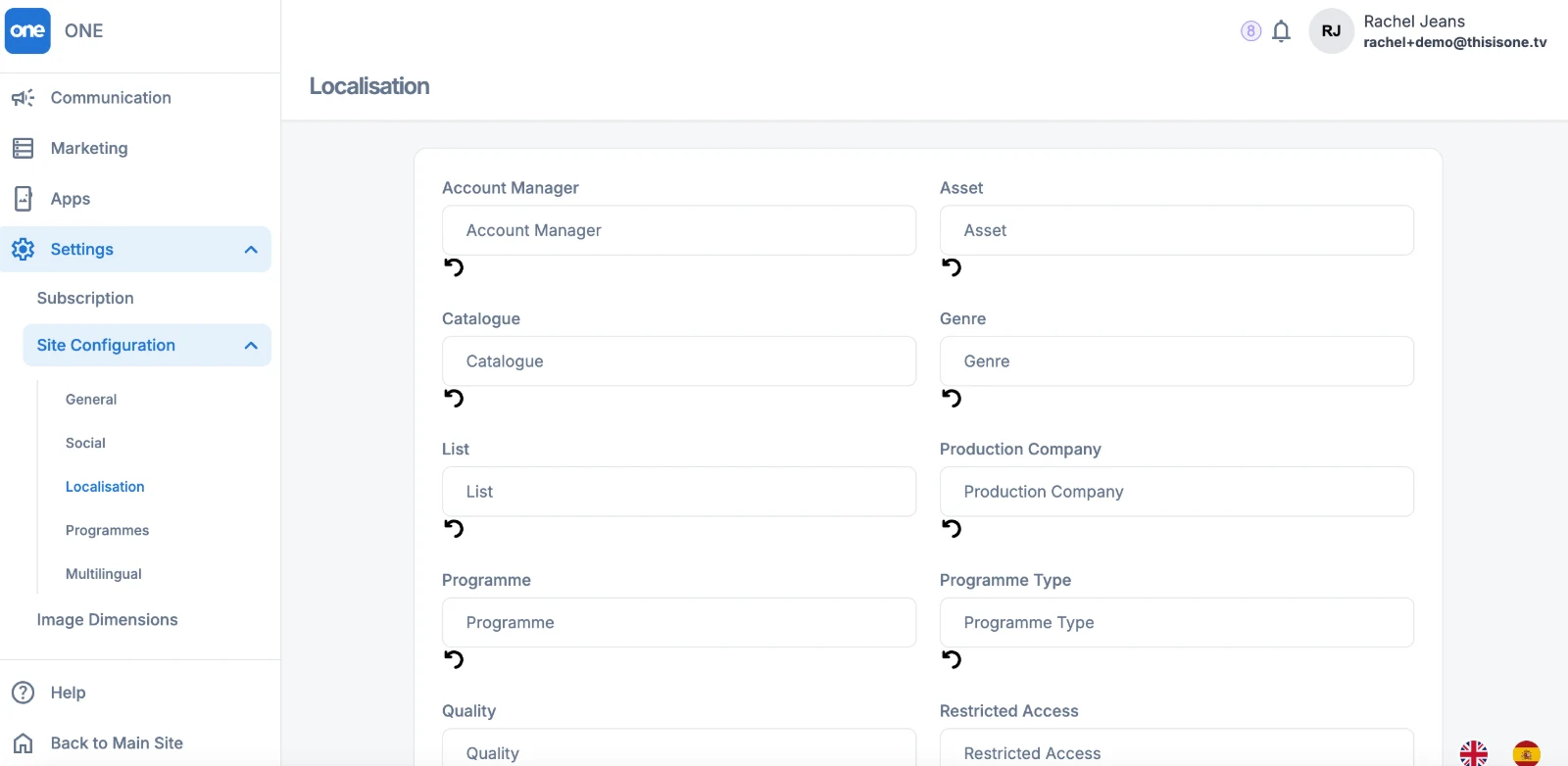
Localisation settings: rename the platform’s labels to match your terminology.
Give a territory its own front door
Microsites run on their own URL with their own branding, so a regional launch can feel local without a separate system.
Questions we get asked
Before you ask
Which languages can we add?
Translations are arranged per language with your account manager. Tell us your territories and we will set them up.
Can we edit the automatic translation?
Yes. Your team has translator access to review and edit the wording.
Does renaming labels affect our data?
No. Localisation only changes the words shown on the site, and each label can be reset to its default.