
How to follow up every screening while it still matters
Interest fades fast. The gap between a buyer watching something and you hearing about it is where deals go cold. ONE keeps notes, lists and follow-ups attached to every meeting and every share, every week of the year, not just at markets.
In this guide
- Make every meeting a record
- Capture what they said, as they said it
- Follow up from the meeting itself
- Reach the right buyers between meetings
Before and after
The usual way, and the ONE way
Flip the switch to see what changes.
Hunt for last time’s notes
Somewhere in a notebook or an old email.
It is all in the meeting
Pre-meeting notes and the linked list sit inside the meeting itself.
Scribble and hope
Then type it all up later.
Notes that sync
Take notes on the website or the iPad app. App notes are timestamped and synced back to the website.
Tomorrow, probably
By then they have seen other slates.
Follow up in minutes
Send a follow-up with screener links from the meeting’s Summary tab.
Mail merge
To everyone, whether it fits or not.
Tell the right people
Announcements reach selected users, companies or groups by inbox, email, popup or push.
How it works
Four moves
Make every meeting a record
Create a meeting with attendees, time, location and a linked list. Add pre-meeting notes so anyone on the team can pick up where you left off.
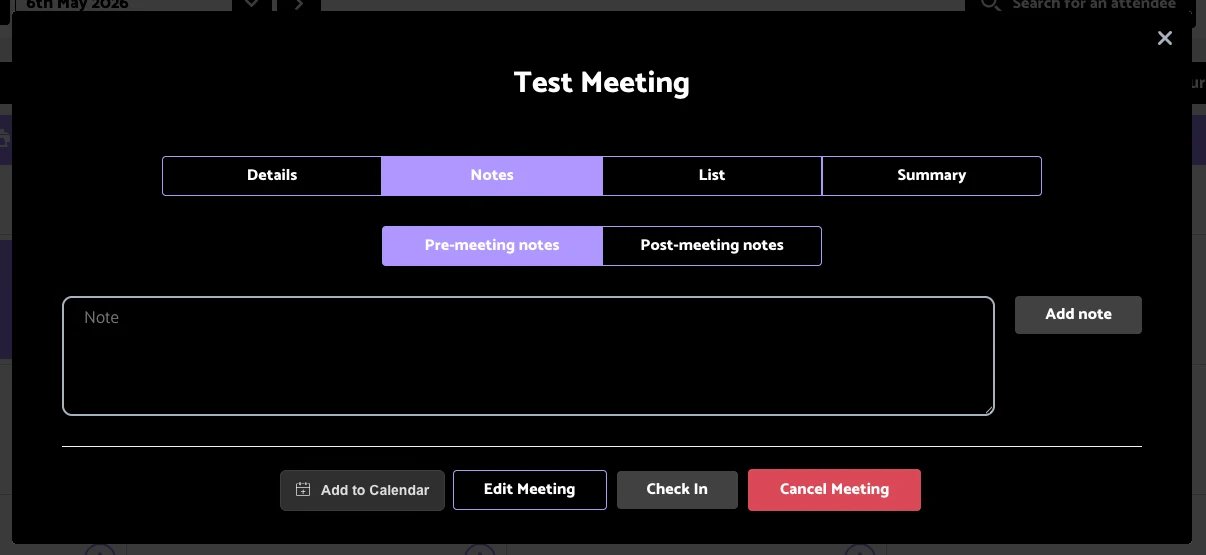
Pre- and post-meeting notes, the linked list and the summary, all in one meeting.
Capture what they said, as they said it
Post-meeting notes can be added on the website or in the iPad app after the meeting ends. Notes from the app are timestamped and synced back.
Follow up from the meeting itself
The Summary tab sends a follow-up email that includes screener links, so the buyer gets what they asked for while the conversation is still fresh.
Reach the right buyers between meetings
Announcements send a message to selected users, companies or groups as an inbox notification, email, popup or push, and List Reporting tells you who engaged with what you sent.
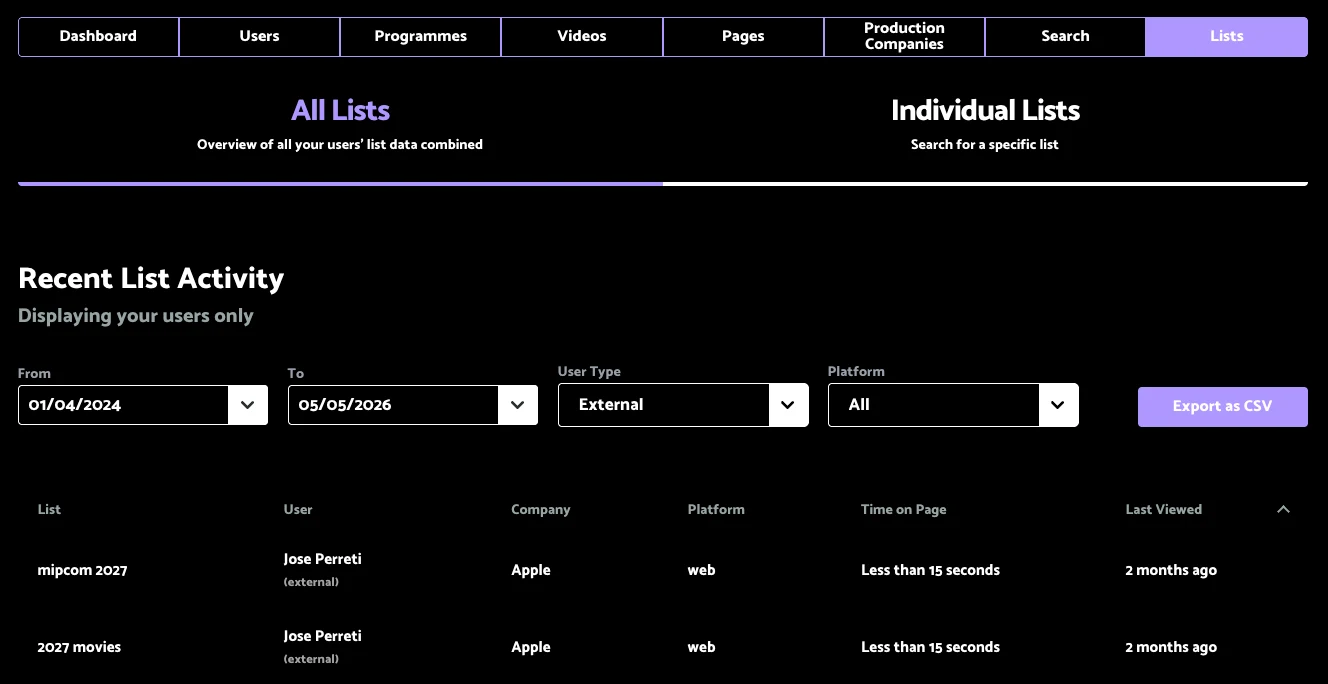
List Reporting shows which buyers opened the lists you sent.
Questions we get asked
Before you ask
Do we need the iPad app to use meetings?
No. Meetings work on the website. The iPad app adds offline use for when you are on the road.
Can announcements go to just one territory?
Yes. Target users, companies or groups, so a message only reaches the buyers it is meant for.
Can I tell whether they opened what I sent?
Yes. List Reporting shows activity on the lists you share, and Reporting shows what each buyer watched.